




Mixue 888 App – Download the Mobile Betting App
Play Mixue888 Now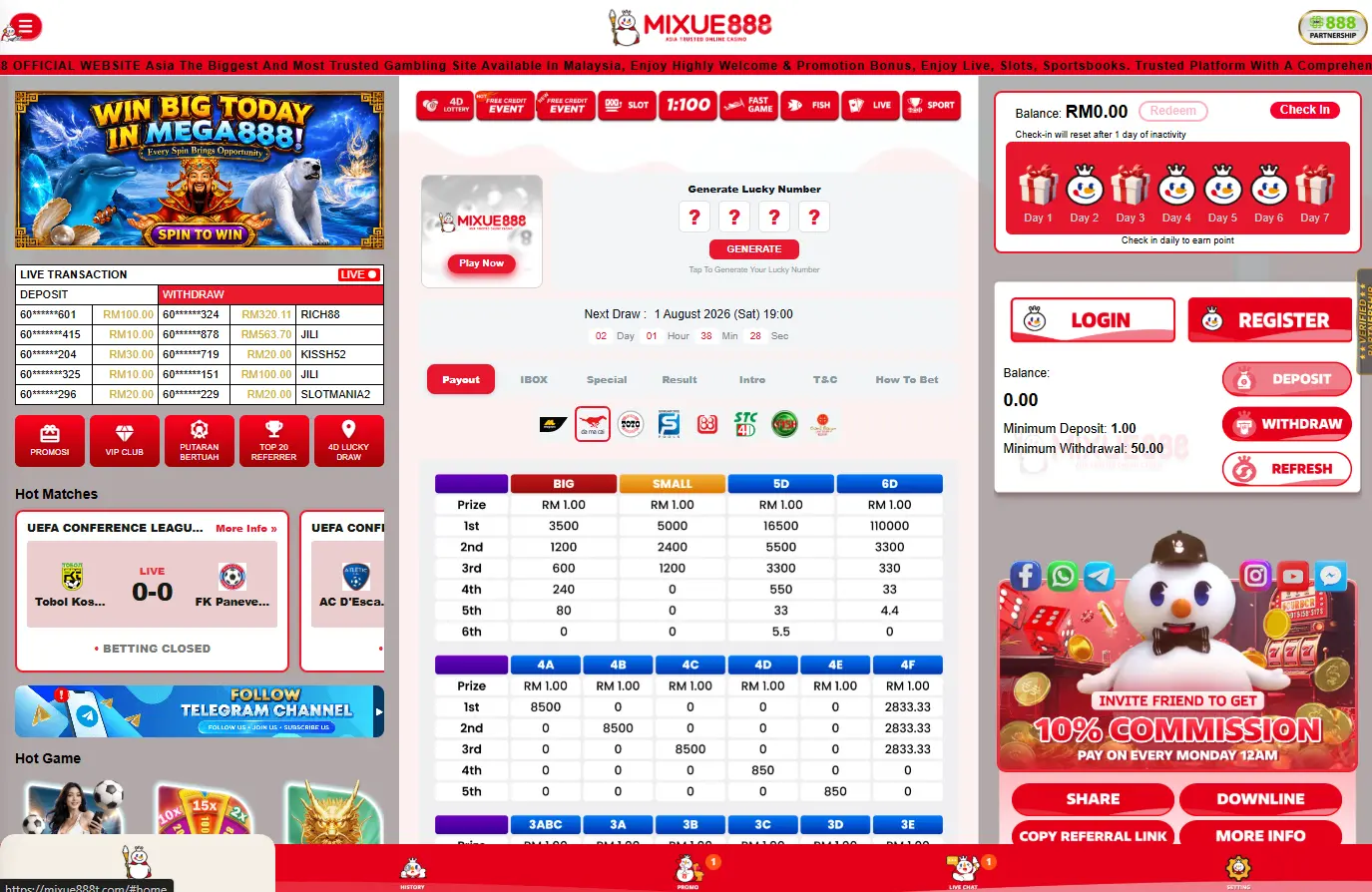
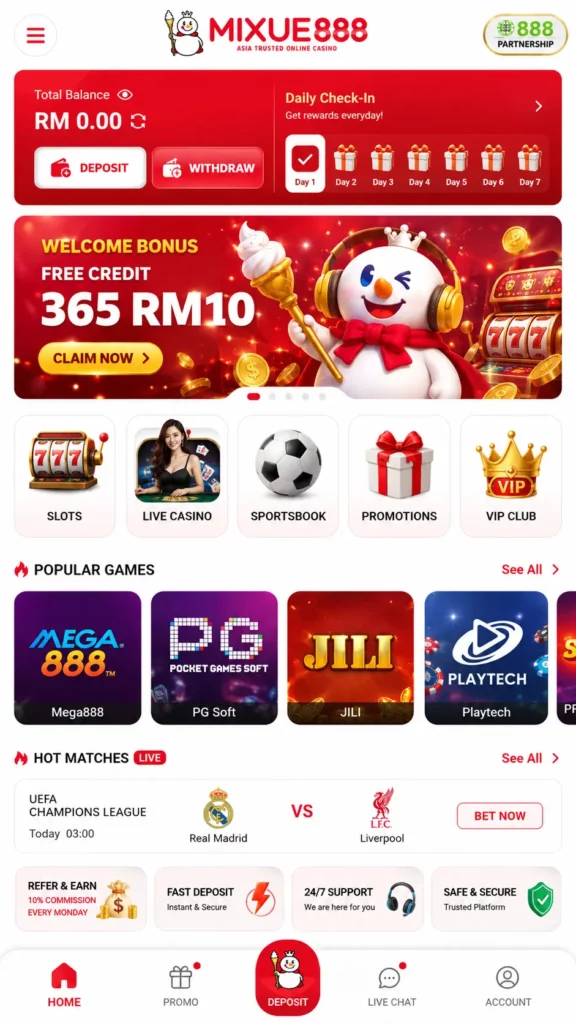
The Mixue 888 app brings the platform’s sportsbook, live markets, casino lobby and cashier into one mobile interface. Malaysian users can follow football, badminton or basketball, place in-play bets, open slot games and request a withdrawal without moving between separate services. Installing the application is optional. Mixue 888 also runs through a mobile browser, so players can choose between direct web access and the downloadable Android APK. The app mainly adds quicker access, locally cached game files, promotional alerts and biometric login on compatible devices.
About the Mixue 888 App
The Mixue 888 mobile application is a compact version of the main platform rather than a casino-only download. Sports betting, live odds, slots, live dealer rooms, bonuses, deposits and account settings remain connected to the same balance. A player who signs in through the APK sees the same account information available in the browser. The balance, bonus status and betting history are stored on Mixue 888’s servers, which means uninstalling the application does not erase the account or remove funds.
| App Detail | Published Information |
|---|---|
| Distribution format | Direct Android APK |
| Approximate download size | Approximately 25 MB |
| Minimum Android version | Android 7.0 or later |
| Recommended RAM | At least 2 GB |
| Recommended free storage | At least 100 MB |
| Basic internet access | 3G is sufficient for basic features |
| Live casino connection | 4G or Wi-Fi is recommended for live games |
| Browser installation required | No |
| Shared account data | Account balance, bonuses and betting history are synchronised |
The figures above come from the current Mixue 888 application page and can change when a new build is released.
Key Features
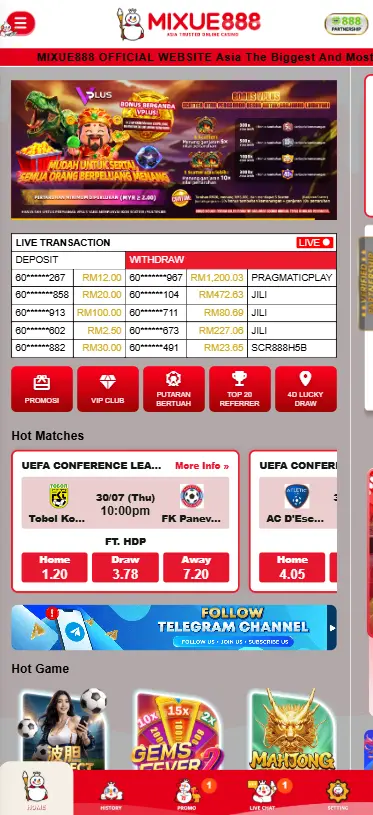
The application is designed around the tasks mobile bettors perform most often. The home screen leads into sports, live events, casino games, promotions and the payment area without requiring a second login. Its core functions include:
- Pre-match and in-play sports markets.
- Live scores and frequently changing odds.
- Slots, RNG table games and live dealer rooms.
- Deposits and withdrawal requests from the app.
- Access to active bonuses and wagering progress.
- Push alerts for selected promotions and account updates.
- Biometric login on supported phones.
- A shared wallet across the app and browser.
Mixue 888 states that promotional offers available on desktop also appear on mobile, while selected campaigns may be marked as mobile-only.
Benefits for Malaysian Players
The mobile format suits users who follow matches away from a desktop. Football markets can be checked before kick-off, while live bets can be managed from the same device used to monitor scores or streams. The Malaysian version keeps transactions in MYR and supports locally familiar payment routes. Mixue 888 currently names TNG eWallet, GrabPay, Boost, ShopeePay, DuitNow, and several Malaysian banks among the options that may appear in the cashier.
This setup avoids routine currency conversion, provides access to local football, badminton, regional sports, Asian slots, and live baccarat rooms, and allows players to use the same account through the APK and mobile website. The available payment methods may still vary by account or maintenance status, so the cashier shown after login is more reliable than an older promotional screenshot.
How to Download the Mixue 888 App
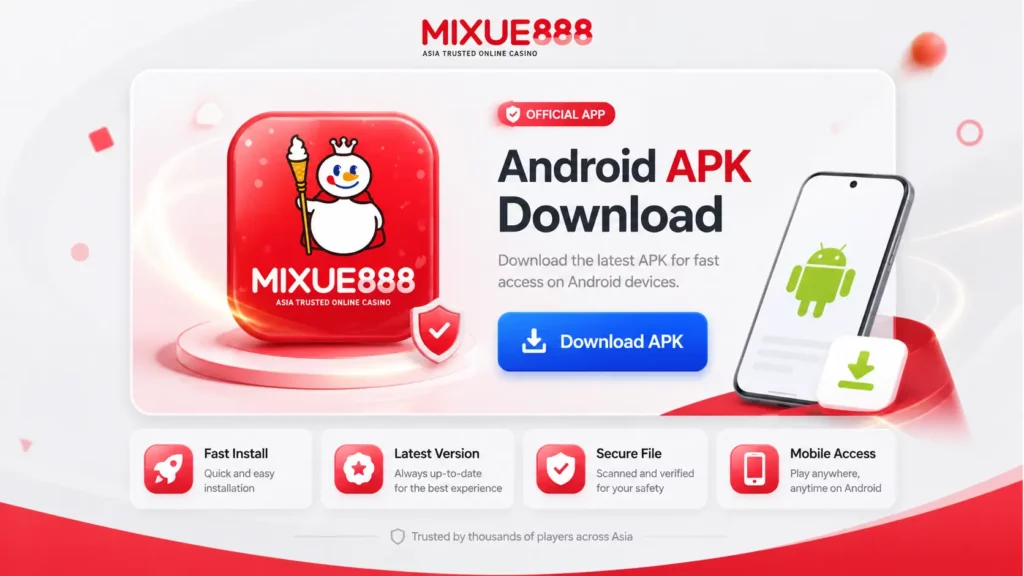
Mixue 888 distributes its Android application directly from its app page. The download arrives as an APK file rather than through the standard Google Play installation flow. Users should begin on the current Mixue 888 domain and open the section labelled APP Download. Copies sent through private messages, social-media comments or unrelated file-hosting websites should be avoided because the file source cannot be verified.
Android APK Installation
The complete Android process normally takes only a few minutes:
- Open the Mixue 888 APP Download page in Chrome or another trusted browser.
- Tap the Android download button.
- Wait for the APK file to finish downloading.
- Open the file through the browser notification or Downloads folder.
- Allow that browser to install unknown applications when Android requests permission.
- Return to the installer and tap Install.
- Open the application and enter the existing account details or register a new profile.
Mixue 888 places the APK size at approximately 25 MB. The final space used on the phone can be higher after temporary files, cached graphics and app updates are added.
Mobile Browser Alternative
The APK is not required for betting. Mixue 888 states that every main game and platform feature also runs through a mobile The APK is not required for betting because Mixue 888 states that its main games and platform features also work through a mobile browser. Casino content uses HTML5, allowing modern Android browsers to open slots and table games without installing a separate client. Browser access may suit users with limited storage, those who prefer not to permit APK installation, occasional players, and anyone using a temporary or secondary device. It also receives web updates automatically. The application may load repeat visits faster because some slot graphics and engine files can be cached locally. Mixue 888 claims that slot loading may improve by 30% to 50%, although actual performance depends on the device, internet connection, and game provider.
System Requirements
The app is not particularly large, but an outdated phone can still struggle with live video and animated slots. Storage alone is not the only concern. Android version, processor architecture, RAM and connection stability all affect the experience.
| Requirement | Minimum or Recommended Level | Practical Effect |
|---|---|---|
| Operating system | Android 7.0 or later | Required to install and run the current APK version |
| Processor | ARMv7 or 64-bit ARM | Compatible with the application’s architecture |
| RAM | 2 GB recommended | Supports smooth navigation and standard gameplay |
| RAM for heavier use | 3 GB or more | Improves performance for live casino streams and multitasking |
| Free storage | At least 100 MB | Provides sufficient space for installation and cached data |
| Basic connection | 3G | Suitable for account access and lighter gaming features |
| Live streaming | Stable 4G or Wi-Fi | Helps maintain smooth video playback and reduces buffering |
| App file | Approximately 25 MB | Size of the initial APK download |
Android Compatibility
Mixue 888 lists Android 7.0 Nougat as the minimum supported version. Phones using an older operating system may reject the package or install it without running every feature correctly. A recent Android version is preferable even when the phone meets the minimum.
Updated operating systems receive newer security fixes and generally handle current browser engines, certificates and biometric functions more reliably. Users can check their version by opening Settings, selecting About phone and locating the Android version field. Menu names vary slightly across Samsung, Xiaomi, Oppo, Vivo and other manufacturers.
Storage & Performance Requirements
The APK download is around 25 MB, but Mixue 888 recommends keeping at least 100 MB free. That gap accommodates installation files, cached slot assets and future updates. Two gigabytes of RAM should be enough for ordinary betting and casino navigation.
Three gigabytes or more is preferable when the player keeps a live stream open, changes tables regularly or switches between the app and other phone functions. Live dealer games are the most demanding section. Mixue 888’s live casino guidance places the minimum connection near 3 Mbps for standard-definition video and around 5 Mbps for HD. It estimates data consumption at approximately 100 to 200 MB per hour, depending on stream quality.
Features of the Mixue 888 Mobile App
The application does not divide sports and casino activity into separate accounts. A deposit made through the mobile cashier can be used across eligible sections, while the wallet records settled bets, bonuses and withdrawals.
| Mobile Section | Main Functions | Useful Mobile Advantage |
|---|---|---|
| Sportsbook | Pre-match betting, Asian handicaps, totals and accumulator bets | Quick access to betting markets before events begin |
| Live Betting | In-play odds, live market updates and selected cash-out features | Allows fast betting decisions during live matches |
| Casino | Slot games, jackpot titles and RNG table games | Supports both portrait and landscape gameplay |
| Live Casino | Live baccarat, blackjack, roulette and game shows | Optimised video streaming for mobile devices |
| Account Area | Balance, bonuses, transaction records and betting history | One account dashboard synchronised across devices |
| Cashier | Deposits, withdrawals and payment management | Convenient access to local payment methods |
| Promotions | Welcome bonuses, reload offers, cashback and ongoing campaigns | Mobile notifications help users keep track of active promotions |
Sports Betting
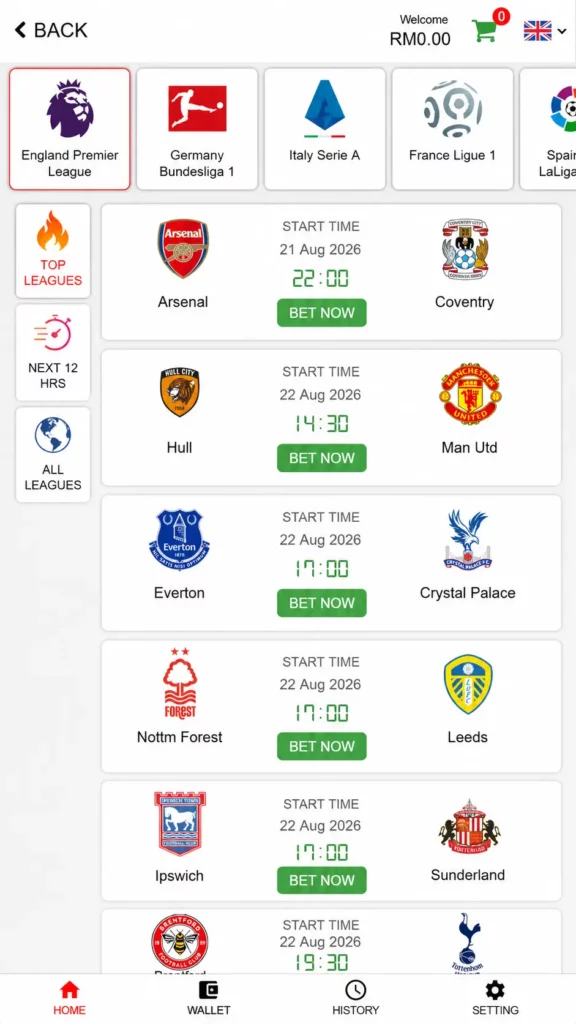
The sportsbook covers football, basketball, badminton, tennis, cricket, combat sports, motorsport and esports. Malaysian users can also find markets for the Malaysia Super League, Malaysia Cup and selected regional competitions.
Common mobile markets include match winner, Asian handicap, totals, correct score, both teams to score and accumulators. Mixue 888 also offers Bet Builder-style combinations on selected events, allowing several related markets from one match to be placed on a single ticket.
The bet slip remains accessible while browsing other competitions. Before confirming, players should check the stake, total odds and whether any selection has changed price.
Online Casino Games
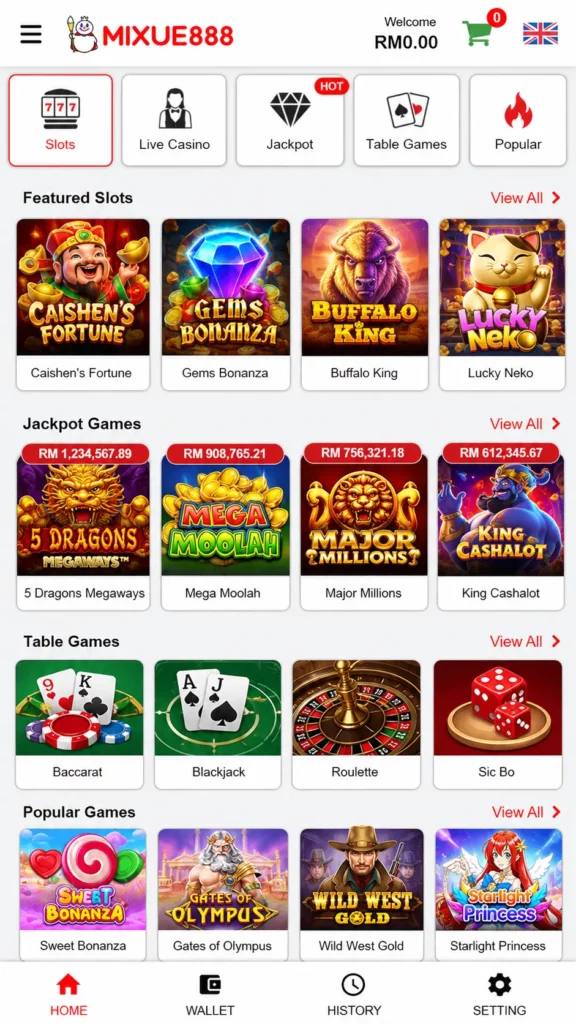
The mobile casino contains more than 1,000 titles, including over 800 slots, according to Mixue 888’s current casino pages. Providers named by the platform include Pragmatic Play, PG Soft, Habanero, Spadegaming, JILI, JDB, Joker Gaming, Microgaming and Evolution.
Many slots use portrait layouts created for one-handed play. PG Soft and other Asian-facing developers are particularly visible in this category.
Live casino tables also work on mobile in portrait and landscape orientation. Mixue 888 says the stream automatically adjusts its bitrate according to the connection, helping prevent complete disconnections when network quality falls.
Live Betting
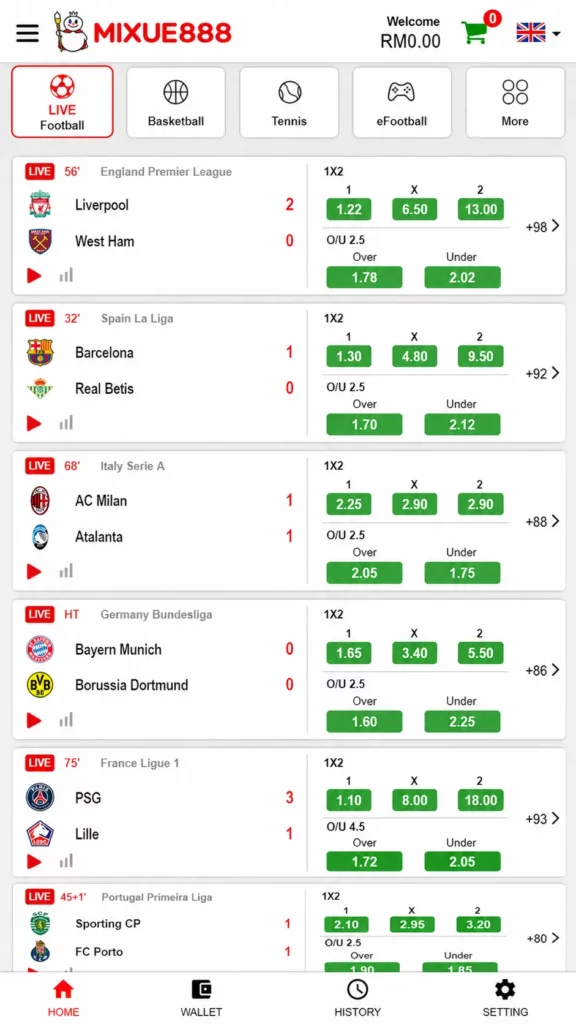
Live betting opens after an event has started. Odds then move with the score, time, penalties, substitutions and other match developments.
Mixue 888 lists in-play markets such as the next goal, next corner, next throw-in, adjusted Asian handicaps and short match intervals. The sportsbook also supports cash out on selected pre-match and live tickets. The available amount changes as the market moves.
The app is convenient here, but live betting can become rushed. Odds may change between adding a selection and pressing confirm. Users should read any price-change message rather than accepting updates automatically.
Account Management
The mobile account area shows the main balance, bonus funds, active promotions and betting records. Mixue 888 says app and browser data are stored server-side and remain synchronised across devices. Users can also view wagering progress for active bonuses. The bonus dashboard displays the amount already wagered, the remaining target and the completion percentage. Opening the same game round on two devices can create a session conflict. Mixue 888 specifically advises against playing the same hand simultaneously through the app and browser.
How to Install the APK
Android applies extra checks to applications installed outside Google Play. These checks are normal, but permission should only be granted to the browser used for the verified Mixue 888 download.
Enable Unknown Sources
On recent Android versions, the permission is assigned to an individual application rather than switched on for the entire phone. A typical route is:
- Tap the downloaded APK.
- Wait for the Android security notice.
- Select Settings when prompted.
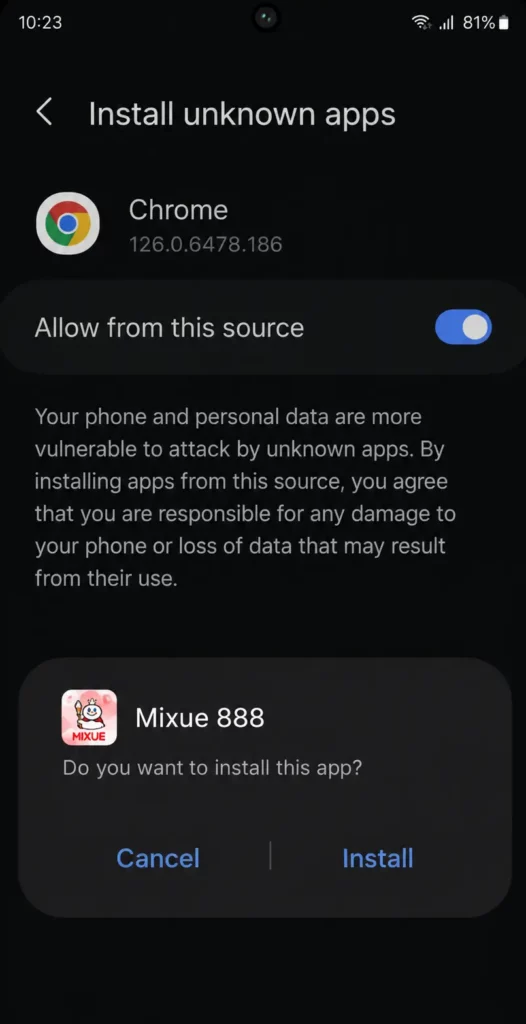
- Enable Allow from this source or Install unknown apps for the current browser.
- Return to the APK installer.
- Disable the permission again after installation if it is no longer needed.
Older Android versions may place the setting under Security or Privacy. The exact wording differs by device manufacturer.
Install the Application
Once permission has been granted, open the APK again and select Install. Android will unpack the file and place the Mixue 888 icon on the home screen or app drawer. Before approving the installation, check that the filename comes from the official download session. Mixue 888 states that its APK is digitally signed and that a SHA-256 signature hash is published on the download page for verification. Do not install a file that suddenly requests unrelated permissions such as access to contacts, SMS archives or the phone microphone without a clear reason.
Log In or Register
Existing users can sign in with the same credentials used on the browser version. The shared account means there is no separate “app balance.” New users can register through the application and verify their phone number through an OTP process. Mixue 888 connects phone verification with some new-account promotions, including its published RM30 registration credit. After the first successful login, compatible phones may offer biometric access. Mixue 888 says Touch ID or Face ID-style functions can replace repeated password entry, depending on the device.
Mobile Payments
Deposits and withdrawals can be managed from the app cashier. The routes visible to one account may not be identical to those available to another, particularly during banking maintenance.
Deposits
Mixue 888 currently promotes local banking, Malaysian e-wallets, DuitNow and USDT. Named bank routes include Maybank, CIMB, Public Bank, Hong Leong Bank, RHB and AmBank. E-wallet examples include TNG eWallet, GrabPay, Boost and ShopeePay.
| Payment Category | Published Examples | Typical Mobile Process | Stated Speed |
|---|---|---|---|
| Local Banks | Maybank, CIMB, Public Bank, Hong Leong Bank, RHB Bank and AmBank | Select the bank, complete the transfer and confirm the payment | Usually credited shortly after confirmation |
| E-wallets | Touch ‘n Go eWallet, GrabPay, Boost and ShopeePay | Approve the transaction through the selected wallet | Commonly processed almost instantly |
| DuitNow | QR code or account transfer, where available | Scan the QR code or confirm the payment | Commonly processed almost instantly |
| Cryptocurrency | USDT via the supported blockchain network | Send funds to the displayed wallet address | Processing time depends on blockchain confirmations |
The payment descriptions above are based on the operator’s published cashier guidance. The amount, reference and recipient details should be copied exactly. Sending through a different network or changing the transfer amount can delay automatic crediting.
Withdrawals
Withdrawal requests are made from the same wallet area. The payment account should normally belong to the registered Mixue 888 user, since mismatched names can trigger additional checks. Mixue 888 advertises typical e-wallet processing below five minutes, Malaysian bank transfers within approximately one hour and USDT TRC20 withdrawals near three minutes under ordinary conditions. These are operator estimates, not guaranteed arrival times. The first withdrawal may take longer when identity or payment ownership needs to be reviewed. An unfinished bonus requirement can also prevent immediate cashout.
App Security
A safe installation begins with the file source. Even a technically secure phone cannot protect an account when the APK has been replaced or the login details are entered on a copied website.
Secure Login
Mixue 888’s app page states that the application can store login credentials securely and support biometric authentication on compatible devices. Account information remains on the platform’s servers, so the same details are available through both the APK and mobile browser. Users should create a unique password, keep OTP codes private, enable the phone’s screen lock, and avoid saving credentials on shared devices.
Before lending the phone to another person, users should sign out of the account and review their activity after any unexpected login alert. Biometric access can reduce the risk of casual physical access, but it does not replace a strong password or secure email and phone accounts.
Data Protection
The operator states that personal and payment data are protected with 256-bit SSL encryption. It also says the downloadable APK is signed with a verified certificate and accompanied by a published SHA-256 hash. These are claims made by Mixue 888 on its own website.
Players should still confirm that the browser shows the expected domain and a secure HTTPS connection before entering credentials. The application should be updated when a security release appears. Mixue 888 marks critical security updates as mandatory, while ordinary feature releases may remain optional for a period.
Troubleshooting
Most mobile problems fall into one of three categories: Android blocks the file, an old app version no longer connects correctly or the account credentials are rejected.
| Problem | Likely Cause | Recommended Action |
|---|---|---|
| APK will not open | Incomplete download or blocked installation file | Download the APK again from the official app page |
| Installation blocked | Browser or device does not allow APK installation | Enable installation permission for the browser or file manager |
| “App not installed” message | Existing app conflict or insufficient storage | Remove the old version and free up storage space before reinstalling |
| App closes after launch | Outdated app version or corrupted cache | Restart the device, update the app or reinstall it |
| Live stream freezes | Weak or unstable internet connection | Switch to a stable 4G or Wi-Fi connection |
| Update prompt repeats | Update file failed to download correctly | Delete the incomplete download and install the update again |
| Login rejected | Incorrect credentials or temporary account lock | Reset the password or contact customer support |
| Session conflict | The account is active on another device | End the other session before logging in again |
Installation Issues
When the APK refuses to install, begin with storage and Android version. The current application requires Android 7.0 or newer and at least 100 MB of free space is recommended. A previous version may also block the new package. Uninstalling the older build and installing the current APK usually resolves this. The account and balance remain intact because they are not stored only inside the app. If Android warns that the file is damaged, delete it rather than forcing installation. Return to the official page and download a fresh copy.
App Update Guide
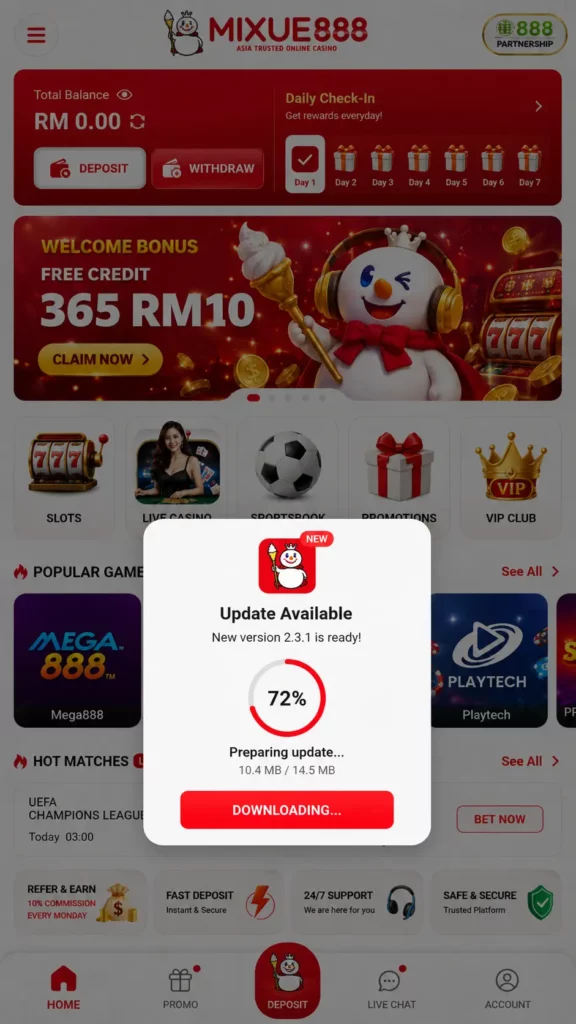
The application checks for updates when it opens. Mixue 888 says a notification appears when a new build is ready, usually offering a smaller 5 MB to 15 MB incremental download instead of the entire APK. The normal update process is simple:
- Open the Mixue 888 app.
- Read the update message.
- Tap the download button.
- Keep the app open until the package finishes.
- Approve installation when Android requests it.
- Reopen the app and check the version under About.
When the application stops working immediately after an update, Mixue 888 recommends uninstalling and reinstalling the latest version. Account information will remain on the server.
Login Problems
First check the username, phone number and password carefully. Mobile keyboards sometimes add a space after an email address or change the first letter to uppercase. A failed biometric login does not necessarily mean the account is blocked. Use the standard password option, then re-enable biometrics after entering the account.
Repeated failed attempts may activate a temporary security restriction. In that situation, use the password-reset function or contact support rather than opening another account. A “session conflict” message means the same game or account action is already active on another device. Close the browser or app session elsewhere and try again.
Why Choose the Mixue 888 App?
The APK is most useful for members who open the platform frequently. Occasional users receive nearly the same service through the browser and may not need another application installed.
Fast Performance
Mixue 888 claims that locally cached slot assets can reduce loading times by roughly 30% to 50% compared with repeated browser loading. The difference will be most noticeable on games opened regularly and on connections with moderate latency. The app also places the cashier, active promotions and recent bets behind fewer browser navigation steps. It does not make sports results or casino games settle faster, but it can shorten the route to the relevant section.
User-Friendly Interface
The mobile interface groups sports, live events, casino content, payments and account controls into separate tabs. Portrait-mode slots fit a phone naturally, while live dealer streams can be rotated into landscape view. Push notifications are another app-specific feature. According to Mixue 888, alerts may cover promotion deadlines, jackpot events and cashback credits. Users can disable notifications through Android settings when they become distracting.
Betting Anywhere, Anytime
A phone makes betting access more flexible, but “anywhere” still depends on a secure connection and responsible use. Public Wi-Fi can expose more risk than a private mobile network, particularly when account and payment details are being entered. The app can follow live odds, open casino games and manage withdrawals throughout the day. Mixue 888’s live casino tables are promoted as running continuously, while sportsbook coverage includes pre-match and in-play events. Mobile access should not become a reason to bet without limits. Setting a deposit budget and turning off unnecessary promotional notifications can help keep the app as entertainment rather than a constant prompt to wager.
Frequently Asked Questions
Is the Mixue 888 app free?
Yes. Mixue 888 does not publish a purchase price for its mobile application. Android users can download the APK directly from the platform’s app page.
Can I use the app on Android?
Yes. The current APK requires Android 7.0 or later, an ARM-compatible processor and at least 100 MB of available storage. Two gigabytes of RAM are recommended.
Do I need to install an APK?
No. Mixue 888 states that its sports, casino, cashier and account features also run through a mobile browser. The APK is an optional alternative.
Is the app secure?
Mixue 888 says the APK is digitally signed, carries a published SHA-256 hash and supports encrypted connections and biometric login. Users should download it only from the current official app page.
How do I update the app?
Open the application and follow the update notification. Mixue 888 says the app checks for new versions at launch and usually downloads a smaller incremental update. Reinstallation is recommended if an update fails.