




Mixue 888 Login – Sign In to Your Betting Account
Play Mixue888 Now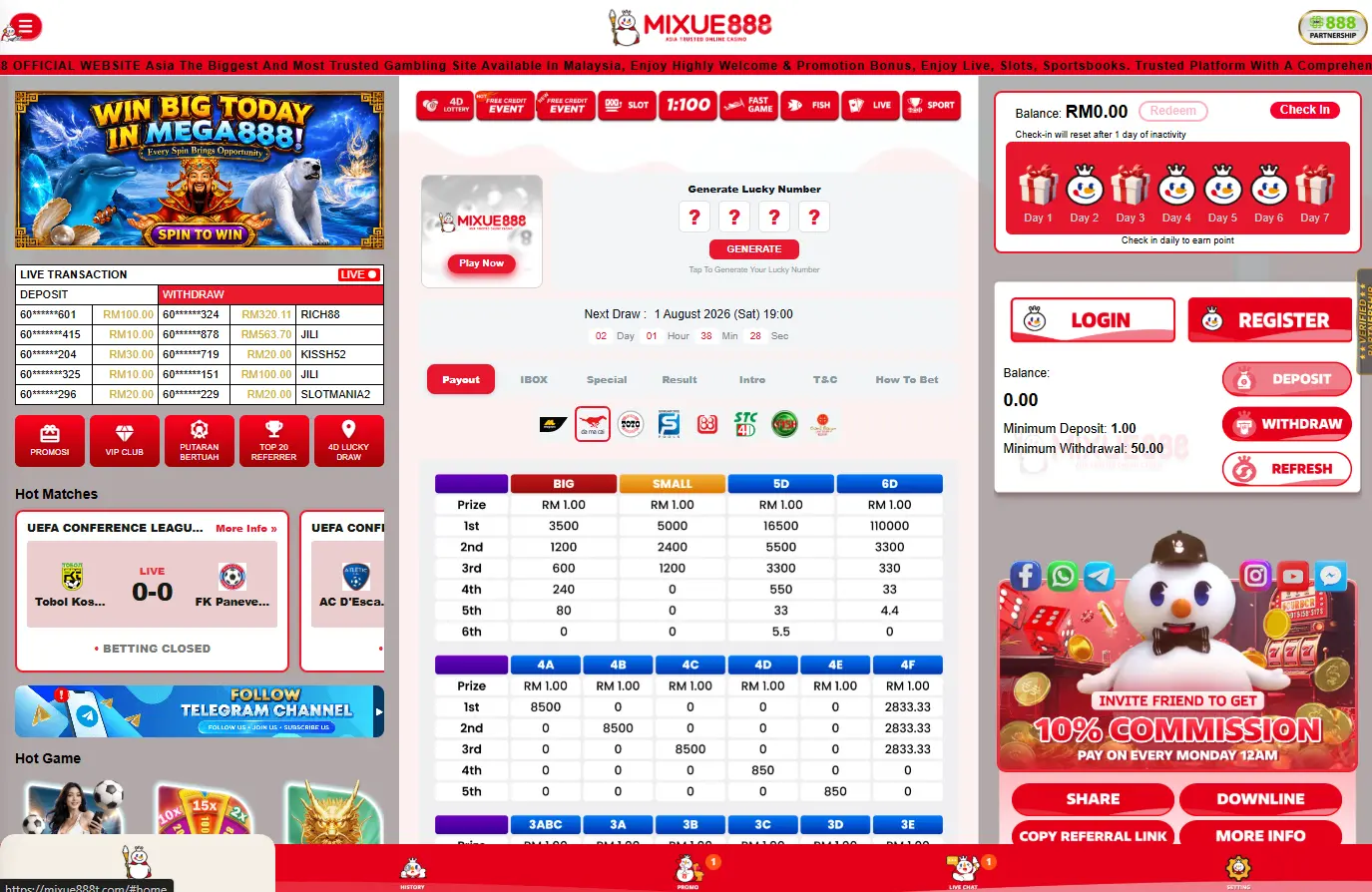
The Mixue 888 login opens a personal dashboard where Malaysian members can reach their balance, sportsbook, casino games, active promotions and transaction history. The same account is used across the main website and mobile-compatible interface, so a player does not need separate profiles for sports betting and casino play. Signing in should take less than a minute when the correct account details are available. Most access problems come from a mistyped password, an outdated browser session or an account security check rather than a permanent loss of the profile.
About the Mixue 888 Login
The Login button appears in the main navigation beside the registration option. After authentication, the public platform changes into a personal member area with the wallet, promotions and betting functions connected to the registered profile.
| Account Section | What It Is Used For |
|---|---|
| Main Wallet | View available balance, bonus funds and account cash |
| Sportsbook | Place pre-match and live sports bets |
| Casino Lobby | Access slot games, table games and live dealer titles |
| Promotions | Claim bonuses and review active promotion terms |
| Betting History | View open, settled and cancelled bets |
| Cashier | Make deposits and submit withdrawal requests |
| Referral Dashboard | Access referral links and monitor referral rewards |
| Profile Settings | Manage account details, password and security settings |
The exact arrangement may differ slightly between desktop and mobile screens. The account functions remain broadly the same, while the smaller interface places the most frequently used sections behind compact navigation tabs.
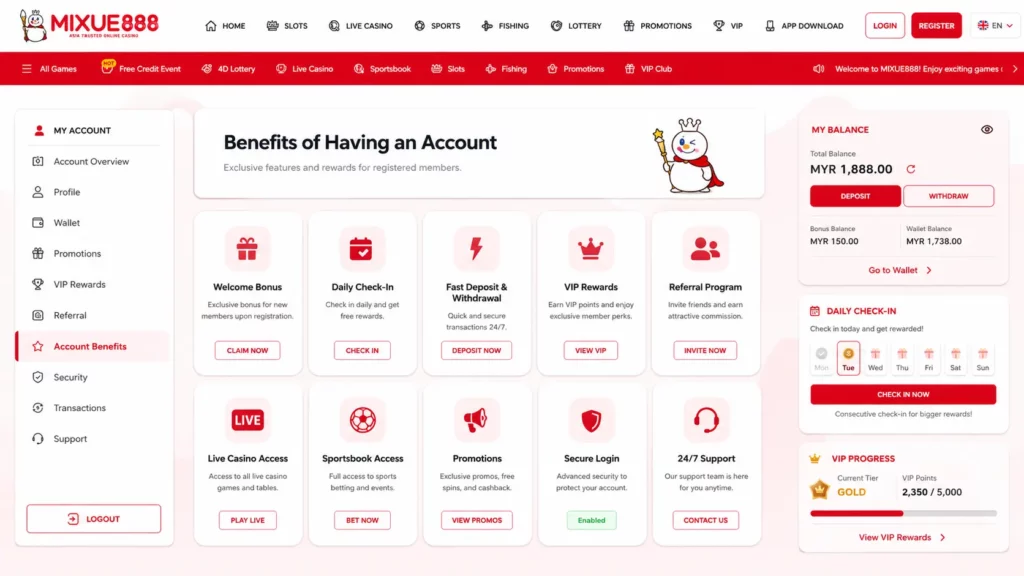
Benefits of Having an Account
Public visitors can browse general information, but real-money functions require a registered profile. Once signed in, the system can connect every transaction and bet with one verified account. A Mixue 888 account allows a member to:
- Hold deposits, winnings and eligible bonus funds in one wallet.
- Place sports bets across pre-match and in-play markets.
- Access slots, live tables, lottery products and other listed categories.
- Follow the remaining turnover on an active bonus.
- Request withdrawals through the cashier.
- View previous bets and account transactions.
- Obtain a personal referral link from the member dashboard.
The bonus section states that wagering progress is displayed through a live dashboard showing the amount completed, the balance still required and the percentage cleared. The referral page also places each member’s invitation link inside the account dashboard.
Secure Access for Malaysian Players
The login form should only be opened from the current Mixue 888 website or an application obtained through its official mobile page. Search advertisements, forwarded messages and copied login screens can imitate the appearance of a betting platform. Before entering a password, check that the domain is written correctly and that the browser uses an HTTPS connection. A small spelling change in the address may lead to a completely different website. Mixue 888 uses phone OTP verification for its current RM30 registration promotion. Its account rules also distinguish genuine users through separate phone numbers, identity documents, payment accounts and network details.
How to Log In to Mixue 888
The normal login route begins from the homepage. Select Login rather than Register, then use the credentials attached to the existing profile. A member should not create another account simply because the first password is unavailable. Mixue 888 states that multiple registrations linked to the same household connection can be flagged automatically, particularly when bonuses or referral rewards are involved.
Enter Your Username and Password
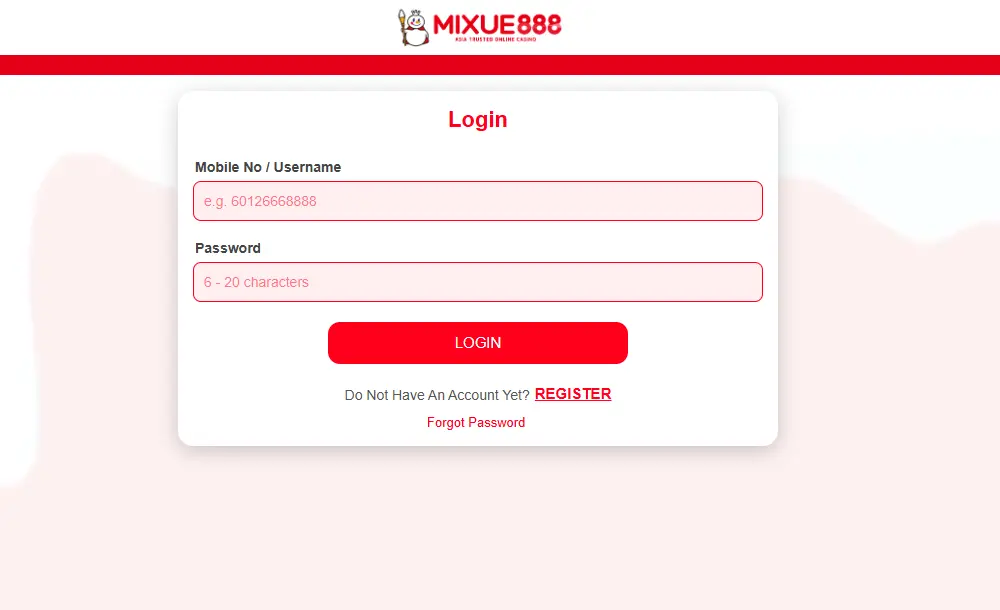
Use the same account identifier entered during registration. Depending on the current form, this may be a username, registered mobile number or another login ID connected to the profile. The basic login sequence is:
- Open the current Mixue 888 homepage.
- Select Login in the main navigation.
- Enter the registered username or account identifier.
- Type the password exactly as it was created.
- Check for accidental spaces or incorrect capital letters.
- Press the login button once and allow the page to respond.
- Confirm that the correct wallet and profile information appear.
Passwords are case-sensitive. On a phone, automatic capitalisation can change the first character without the user noticing. The visibility icon beside the password field can help identify this problem before submitting the form.
Complete the Login Process
After successful authentication, the member should be redirected to the account area or the page that was open before login. The displayed wallet balance is a quick way to confirm that the intended profile has loaded. Do not repeatedly press the login button when the mobile connection is slow. Several rapid attempts can create duplicate requests or trigger a temporary security restriction.
When the page appears frozen, wait briefly and refresh it once. The Mixue 888 promotion page identifies browser cache and mobile-data lag as common reasons why updated account information does not immediately appear. It also directs members to live chat when a wallet or promotion issue remains unresolved.
How to Register a New Account
Registration is only necessary for a person who has never created a Mixue 888 profile. The Register button is displayed beside Login on the platform’s public pages. Accurate information matters from the beginning. A nickname can be used where the form asks for a username, but personal, phone and payment details should belong to the real account holder.
Account Registration Steps
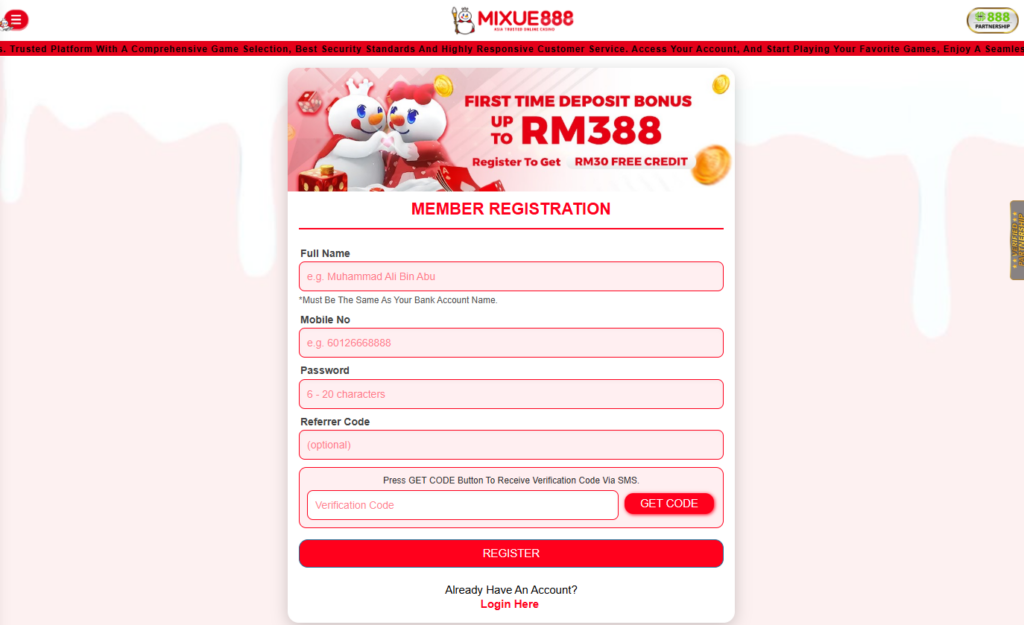
A typical registration can be completed in the following order:
- Open the current Mixue 888 website.
- Select Register from the main navigation.
- Create an available username or account ID.
- Enter an active Malaysian mobile number.
- Set a unique password.
- Add a referral or promo code when one is being used.
- Accept the applicable account conditions.
- Submit the form and complete phone verification.
- Sign in with the newly created credentials.
The platform currently connects OTP verification with its RM30 no-deposit registration offer. A qualifying new member completes phone confirmation before the promotional credit is added. A member should record the username privately after registration. A password manager is safer than keeping both the username and password in an unprotected note or chat message.
Verify Your Information
Phone verification confirms that the number entered during registration is under the user’s control. An OTP is normally valid for a short period and should never be shared with another person. Identity checks are separate from phone confirmation. The Mixue 888 referral terms specifically identify a valid Malaysian identity document or driving licence as acceptable verification for a qualifying referred user. The same rules require each person to have an individual phone number, bank account and identity. Check names and dates before submitting the registration form. Correcting a spelling mistake later may require additional evidence because the platform must distinguish a genuine correction from an attempt to transfer the account.
Forgot Your Password?
A forgotten password does not require a second registration. The proper response is to use the recovery option shown on the login screen or request assistance from support. The account holder may need access to the registered phone number or other details previously connected to the profile. This prevents another person from resetting the password with only a known username.
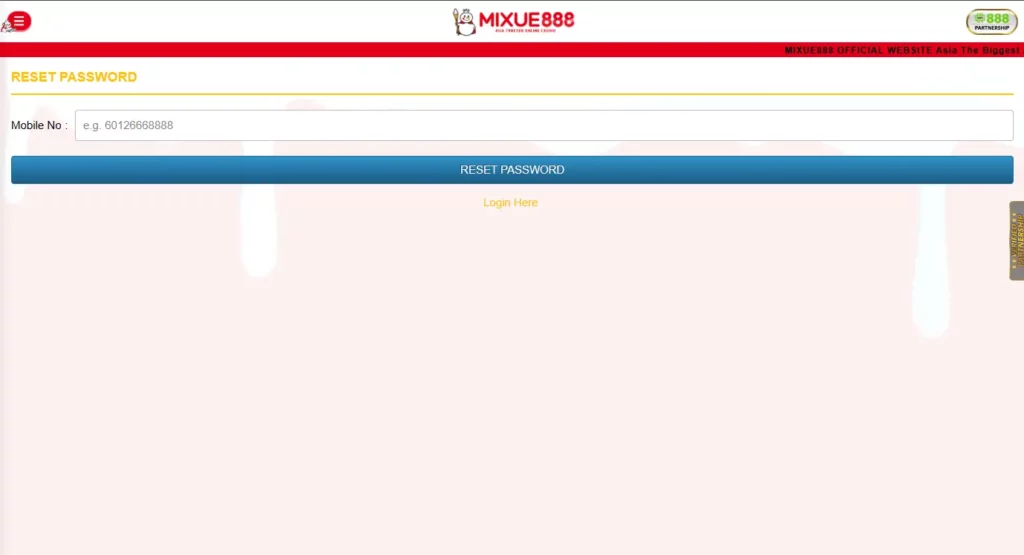
Reset Your Password
Begin by selecting the password-recovery option near the login form. The available method may use a verification code or a support-assisted check, depending on the information registered with the account. Use this sequence:
- Enter the registered username or mobile number.
- Request the available verification method.
- Check the phone for the recovery code.
- Enter the code only on the official Mixue 888 page.
- Create a password not used on any other service.
- Sign in again and review the recent account activity.
Do not use a minor variation of the old password. Changing one number at the end offers little protection if the previous credential has been exposed. Mixue 888 advertises live chat support on its promotion pages. When automated recovery is unavailable, contact support through the platform and be ready to confirm account ownership.
Recover Your Username
First search the original registration confirmation, saved password manager or previous account notifications. The username may also be stored in the browser when autofill was enabled. When it cannot be found, contact support and provide only the information requested through the official channel. Useful ownership details may include the registered mobile number, approximate account creation date or a recent payment reference. Never publish these details in a public social-media comment. A genuine support agent does not need the account password or the full OTP code to identify the profile.
Account Verification
KYC, or Know Your Customer verification, links the betting profile with a real individual. It is separate from ordinary login and may not be required at every sign-in. A verification request can appear when an account begins using withdrawals, changes important information or triggers an ownership check. The exact request should be followed from inside the member area rather than from a link received from an unknown sender.
Identity Verification (KYC)
Mixue 888’s published referral conditions name a Malaysian identity document or driving licence as valid verification evidence. Depending on the reason for the review, the platform may also ask the member to confirm the phone number or ownership of a payment account.
| Verification Item | Purpose | Submission Advice |
|---|---|---|
| Malaysian Identity Document | Confirms the account holder’s identity and legal name | Upload a clear image with all required details visible |
| Driving Licence | Alternative identity document, where accepted | Ensure the licence is valid and not expired |
| Mobile OTP | Verifies ownership of the registered mobile number | Enter the code only through the official verification process |
| Payment Evidence | Confirms ownership of the linked bank account or e-wallet | Provide the requested proof and hide unrelated information if permitted |
| Profile Details | Matches registration information with verification documents | Correct any genuine errors before submitting a withdrawal request |
Do not alter, crop or digitally edit a document unless the verification instructions explicitly permit it. A blurred or incomplete image can extend the review because the information cannot be compared reliably.
Why Verification Is Required
Verification helps prevent one person from opening repeated profiles, claiming the same introductory reward several times or withdrawing through an unrelated payment account. The platform’s referral rules state that separate adults need their own identity, phone number, bank account and IP address. Its bonus guide also warns that second accounts connected with the same household network can be detected and may lose promotional funds. KYC also protects the genuine owner. When a password is stolen, verified information gives support a stronger basis for deciding who controls the account.
Managing Your Account
Regular account maintenance reduces login and withdrawal problems. Members should check profile data after changing a mobile number, payment route or personal document. Not every field can necessarily be edited directly. Information tied to identity or transaction ownership may require support review.
Update Personal Information
Open the profile or account settings area and check the name, mobile number and other stored details. Editable fields can be changed directly when the interface allows it. For a legal-name correction or a new phone number, support may request evidence before applying the update.
This is normal because those fields can also be used during password recovery and payment verification. Avoid waiting until a withdrawal is pending. Updating an expired document or inaccessible number in advance is usually easier than trying to correct it during an active account review.
Change Your Password
A password should be changed immediately after an unfamiliar login, unexpected reset message or use of the account on a device that is no longer trusted. A suitable password should:
- Be created specifically for Mixue 888.
- Contain a mixture of letters, numbers and symbols.
- Avoid names, birthdays and Malaysian phone numbers.
- Differ substantially from the previous password.
- Remain private from friends, agents and other players.
- Be stored in a reputable password manager when necessary.
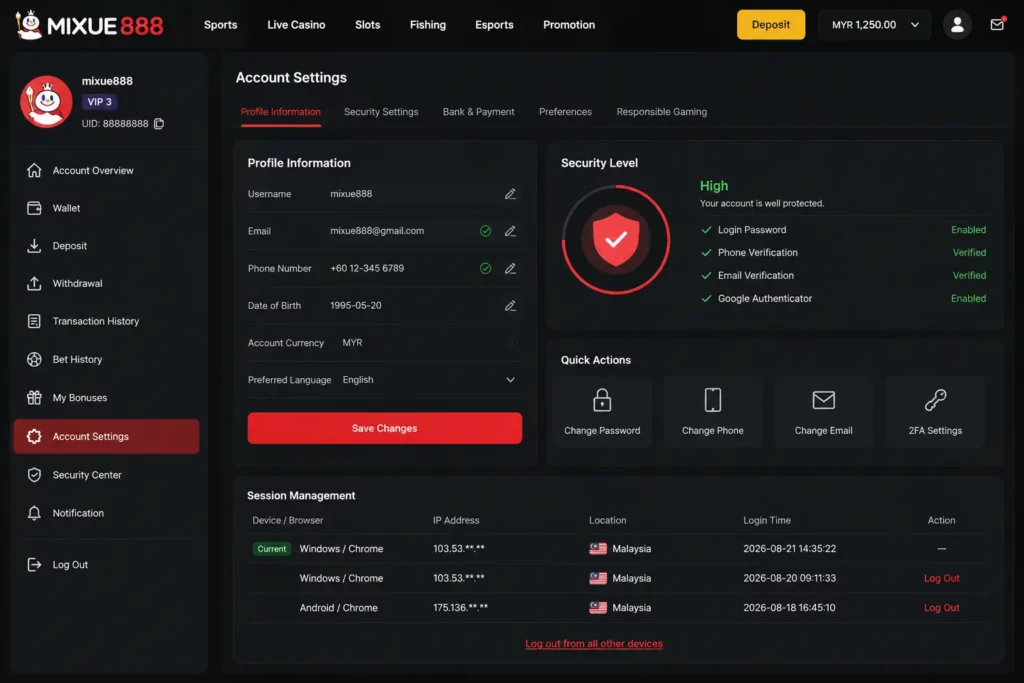
After changing it, close old browser sessions where possible. Also secure the email address and mobile number connected to the account, since either may be involved in recovery.
Account Security Settings
Review any available device, notification or login-security options inside the account. On a personal phone, a screen lock and biometric protection add a useful barrier if the device is lost. Do not enable automatic login on a shared computer. Convenience is not worth leaving the wallet and transaction area accessible to another person. Members who use both a desktop and phone should recognise each active session. An unfamiliar device, location or login time is a reason to change the password and contact support.
Login Issues and Solutions
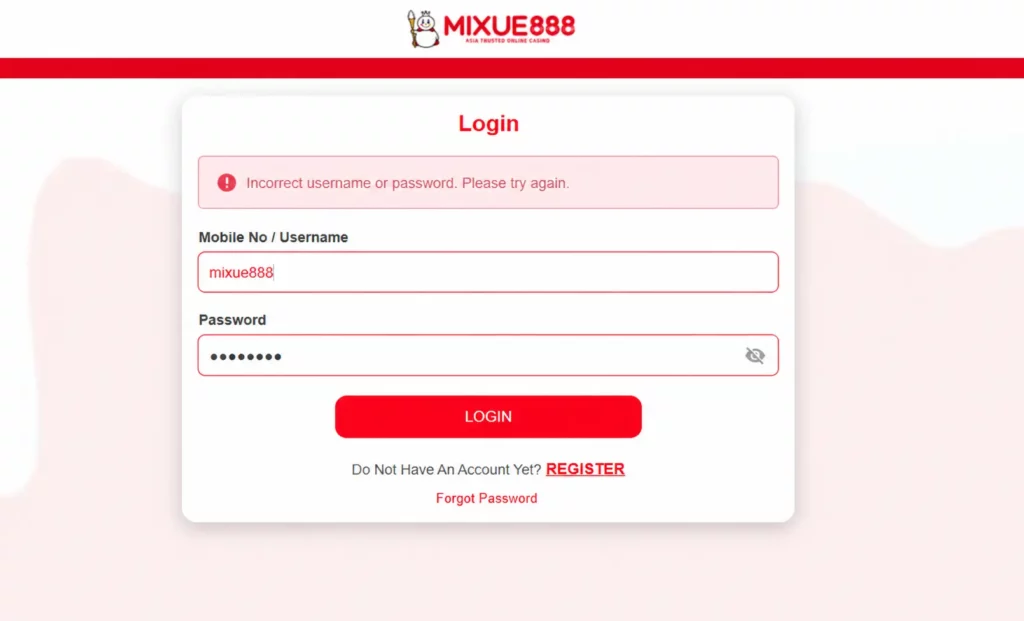
A failed sign-in does not always indicate that an account has been closed. Minor mistakes and browser problems are more common. Use the message displayed by the login form as the first clue. “Incorrect password,” “account locked” and an endlessly loading screen require different solutions.
| Login Problem | Likely Cause | Practical Solution |
| Incorrect password | Typing error or wrong capitalisation | Retype manually or reset the password |
| Unknown username | Incorrect account identifier | Check registration records or contact support |
| OTP not received | Weak signal, delay or wrong number | Wait briefly, check the number and request one new code |
| Account locked | Repeated failures or security review | Stop retrying and use official support |
| Blank or frozen page | Browser cache or connection issue | Refresh once, clear cache or change browser |
| Repeated redirect | Expired session data | Sign out, close the browser and reopen the site |
| Mobile login failure | Old app build or damaged cache | Update the application or use the browser |
| Wrong wallet displayed | Different account was opened | Sign out and check the registered username |
The platform’s published troubleshooting advice identifies cache and mobile-data lag as possible causes of delayed wallet information. Its public casino page also confirms that the main games work through mobile and desktop HTML5 browsers, with the application remaining optional.
Incorrect Login Details
Retype the username and password rather than relying on browser autofill. Autofill can retain an older password after it has been changed. Check whether the keyboard has added a space or capitalised the first letter. This is especially common on Android devices. After two or three careful attempts, stop guessing. Repeated submissions can make a simple password problem look like suspicious access.
Locked Account
A temporary lock can follow repeated failed attempts, unusual device activity or a verification review. Opening another profile will not resolve the issue and may create a separate breach of the one-account rules.
Contact live chat through the main website and explain what happened. Support may ask for the registered username, phone number or identity confirmation, but the full password should never be requested. Wait for the account review rather than sending conflicting information through several support channels.
Technical Troubleshooting
- Confirm that other websites load correctly.
- Refresh the login page once.
- Close duplicate Mixue 888 tabs.
- Clear the browser cache and cookies for the site.
- Disable an aggressive ad blocker temporarily.
- Try a current version of another browser.
- Switch between Wi-Fi and mobile data.
- Restart the phone or computer.
- Use mobile browser access when the app is not working.
- Contact official support when the problem remains.
Mixue 888’s casino pages state that its content runs through HTML5 on mobile and desktop browsers, so the browser provides a practical fallback when an application session fails.
Safe Login Practices
Account safety depends largely on habits followed before and after authentication. A strong password is useful, but it cannot protect a member who enters it on a copied website.
Protect Your Credentials
Treat the username, password and OTP as separate security factors. Sharing all three gives another person nearly everything needed to take control of the account. Follow these basic rules:
- Use a password that does not appear on another website.
- Keep OTP messages private.
- Avoid logging in through links sent by strangers.
- Do not save credentials on public or office devices.
- Lock the phone used for betting.
- Sign out after using a borrowed computer.
- Review the wallet after any unusual account notification.
- Change the password immediately after suspected exposure.
Support may need to verify identity, but it should not require the member to send a current password through chat.
Avoid Phishing Scams
Phishing pages copy a legitimate login design and collect the information entered into them. They often arrive through promotional messages promising free credit, urgent verification or an unusually large reward. Common warning signs include:
- A domain with an added letter, number or unusual ending.
- A message demanding immediate login to prevent account deletion.
- A form asking for both a password and an OTP before any login attempt.
- An APK attached directly to a Telegram or WhatsApp message.
- A “support agent” requesting remote access to the phone.
- A bonus that does not appear on the platform’s own promotions page.
- Poorly written payment instructions sent from a personal account.
Mixue 888 publishes its active offers through the promotions hub and directs users to its member dashboard for account-specific features. Checking those areas is safer than trusting a forwarded screenshot.
Access Your Account on Mobile
Mixue 888 can be accessed through a mobile browser, while the platform also promotes an optional mobile application. Its casino page confirms that HTML5 content works without a compulsory download. The login credentials remain those created for the betting account. A separate mobile registration is not needed for an existing member.
Login via Android App
Open the installed Mixue 888 application and select the login option. Enter the registered username and password, then complete any security prompt shown by the app. Only use an application obtained from the platform’s current mobile page. Do not install a replacement APK merely because a message claims that the existing version has expired. When the app rejects valid credentials, test the same account through the mobile browser. A successful browser login suggests that the problem lies with the app build or cached data rather than the account itself.
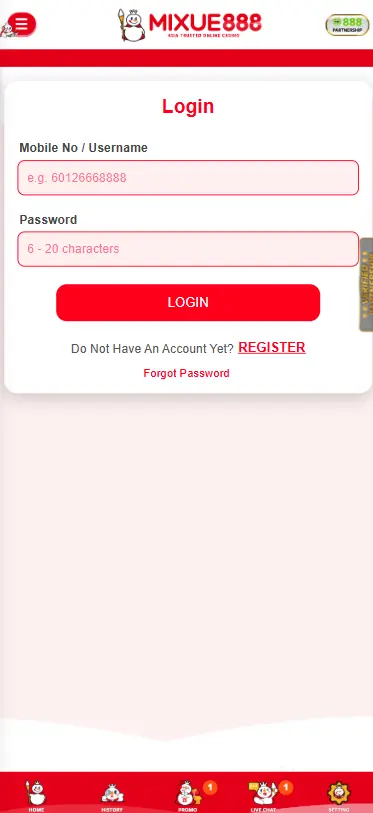
Login Through a Mobile Browser
Open a current browser, enter the official website address and select Login. The responsive interface adjusts to a smaller screen and provides access without storing an APK on the device. Mobile browser login is useful when:
- The phone has limited storage.
- The application is being updated.
- Android blocks external APK installation.
- The member is using a secondary device.
- Cached app data causes an error.
The browser route provides access to the casino lobby and other main sections because Mixue 888 uses HTML5 across mobile and desktop environments.
Frequently Asked Questions
How do I log in to Mixue 888?
Open the current Mixue 888 website, select Login, enter the username or account identifier and password, then submit the form. Check the displayed profile and wallet after access is granted.
What should I do if I forget my password?
Use the recovery option beside the login form. Complete the available phone or ownership check, create a new password and contact official live chat when automated recovery is unavailable.
Why is my account locked?
Repeated incorrect passwords, unusual device activity or an account verification review may cause a temporary restriction. Stop retrying and ask official support to check the profile.
Do I need to verify my account?
Phone OTP is used during registration, while identity verification may be required for account ownership, referrals or payment checks. Published Mixue 888 rules mention Malaysian ID and driving licences as verification documents.
Can I log in on multiple devices?
The account can be reached through desktop and mobile browsers, while an optional mobile app is also available. Avoid simultaneous betting sessions and always sign out from devices that are shared or no longer trusted.